You’re drowning in a sea of PDFs, lecture slides, and research papers. To survive, you’re probably dumping them into ChatGPT and asking for a summary.
I have the solution for you. It will help you create slides, learn and practice before exams.
Before I start any project, I sit in absolute silence with a physical notebook for my “stupid” ideas and a quadruple espresso. Why? Because the Discovery Phase is 90% of the success. The tool you use dictates the quality of your output.
Right now, standard AI is like a camel—a horse designed by a committee of the entire internet. It knows a little about everything, but it compromises, it hallucinates, and it confidently lies to you.
You don’t need a camel. You need a racehorse. You need NotebookLM.
Here is exactly how to use it, why it works, and how to weaponize it for your exams.
The Strategy: What is NotebookLM?
NotebookLM isn’t an internet-scraping chatbot. It is a personalized, AI-powered research assistant. It only knows what you feed it. It doesn’t pull facts from Wikipedia; it reads your syllabus, your textbooks, and your notes.
It forces you to be strategic about your inputs.
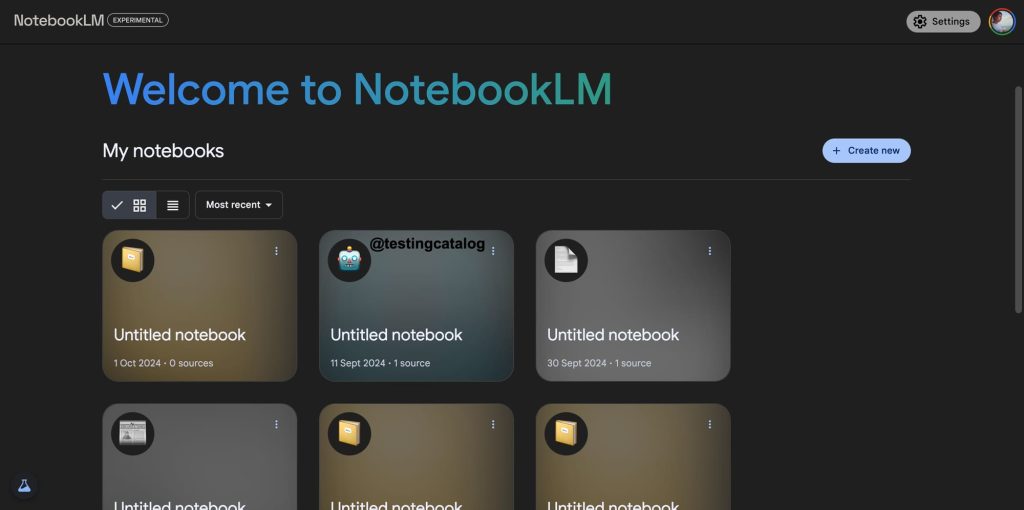
How to Build Your Second Brain (Instructions)
Step 1: Create a Notebook (Silo your work) Treat each class as a separate universe. Don’t mix your Biology lab reports with your Art History essays. Create a dedicated Notebook for each subject. Focused environments create focused results.
Step 2: Feed the Machine (The Discovery Phase) Upload your materials. NotebookLM accepts PDFs, Google Docs, text files, and even YouTube URLs or website links. Drop your entire semester’s reading list in there.
Step 3: Interrogate the Data Use the chat box not just to ask for summaries, but to interrogate the text. Ask it to explain complex concepts, find specific arguments, or synthesize ideas across multiple documents.
Why This Changes the Game (The Benefits)
- The Receipts (Citations): This is the killer feature. Every time NotebookLM answers a question, it gives you inline citations. Click a number, and it jumps directly to the exact page and paragraph in your 400-page PDF. No more guessing if the AI is lying.
- Zero Hallucinations: If the answer isn’t in the documents you uploaded, NotebookLM will flat-out tell you it doesn’t know. It possesses the humility most humans lack.
- The Audio Overview: Click one button, and NotebookLM turns your dense, dry readings into a 10-minute, two-person podcast. They banter, they explain the core concepts, and they make it digestible. Listen to it on your commute. It’s terrifyingly good.

Tips and Tricks: Squeezing the Value Out
Don’t just use this as a fancy search bar. Use it as a sparring partner.
- Curate, Don’t Dump: Garbage in, garbage out. If you upload irrelevant notes, you will get irrelevant answers. Be ruthless about what makes it into your Notebook.
- Ask for Connections: Don’t ask, “What is Chapter 4 about?” Ask, “Compare the core theory in Chapter 4 with the case study we read in week two.” Let the AI do the heavy lifting of connecting the dots across different sources.
- Generate Your Own Exams: Tell it: “Act as a tough Computer Science professor. Create a 15-question multiple-choice quiz based on these documents to test my knowledge. Do not give me the answers until I ask for them.” * Translate the Jargon: If a research paper is written in dense academic-speak, ask NotebookLM to “Explain the methodology of this paper to me as if I am a high school student.” Break the complexity down into plain English.
Stop wasting your time hunting for quotes and reading irrelevant filler. Spend your time actually understanding the material and finding the “Why.”
Now, if you’ll excuse me, my espresso is getting cold.